 English
 EnglishNG


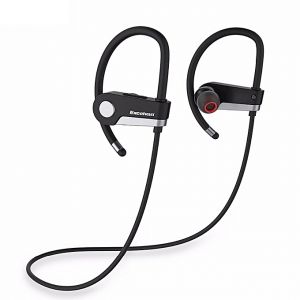
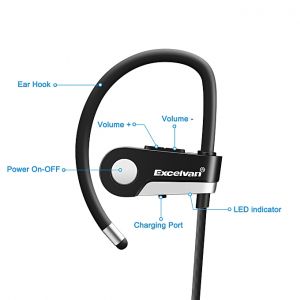
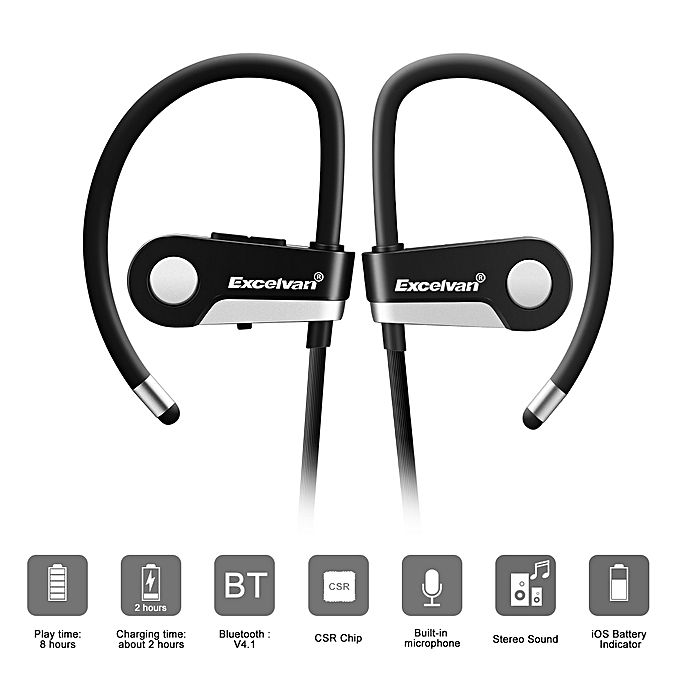

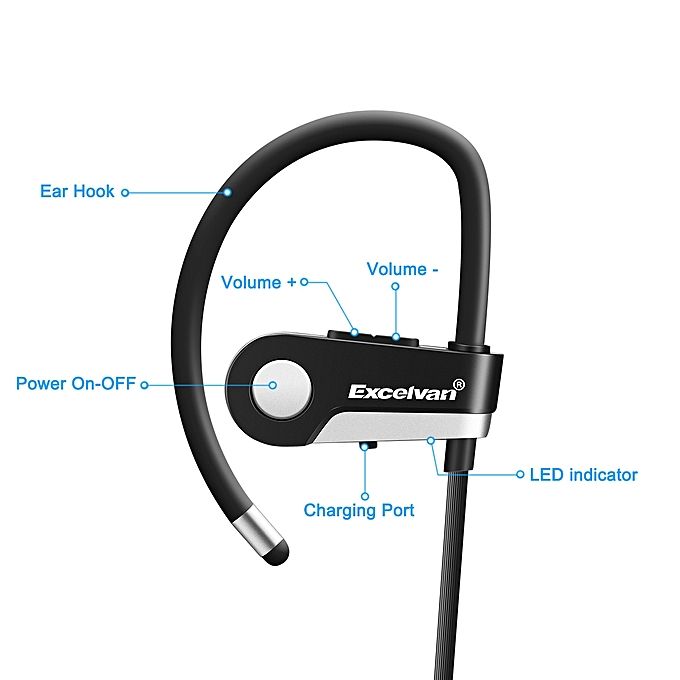
Excelvan C6 Wireless Bluetooth 4.1 Sports Headset Earphone Headphone Bluetooth Earpiece Sport Running Stereo Earbuds With Microphone Hands-free Call / On-cord Control / English Prompt / Sweat Resista
Main features:
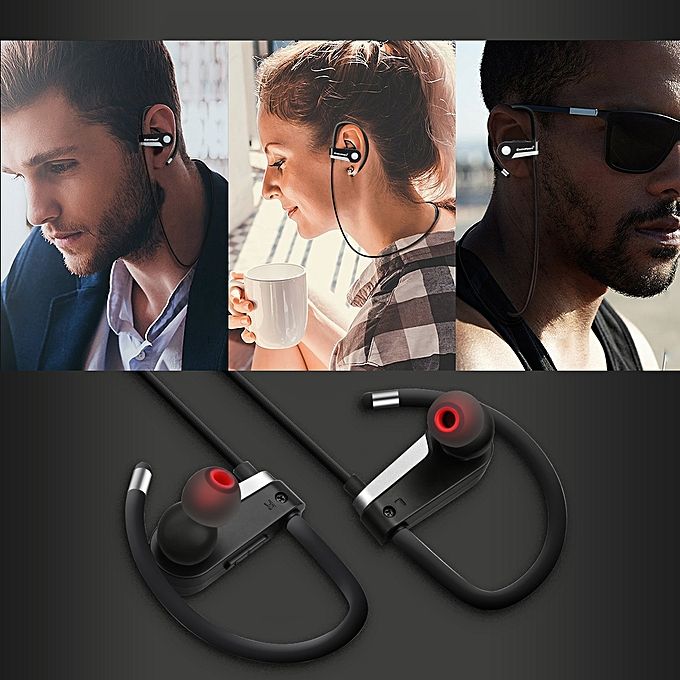
● Hanging type, not easy to fall off
● In-ear cavity structure, makes bass surging, enhances the clarity of the treble
● Allows to connect with 2 Bluetooth devices at same time ( Bluetooth name: C6 )
● Support play music/last song/next song/volume up/volume down
● Support last phone call redial
● Supports phone number voice reporting.
● Supports Skype, Phone, Wechat etc.
Description:
This headset is designed with stylish, portable, smart appearance, as well as mighty functions.
Adopted top and advanced electronic acoustic technology.
Our Bluetooth headset will take you into a wonderful feast of music no matter when or where.
We are devoted ourselves to create a more convenient, interesting and intelligent life for you!
Specification:
General
Model: Excelvan C6
Type: In-Ear
Wearing type: In-ear with ear hook
Function: Answering Phone, Bluetooth, Microphone, Multi connection function, Noise Cancelling, Song Switching, Sweatproof, Voice Prompt
Language: English
Material: ABS,TPE
Product Details
Connectivity: Wireless
Connecting interface: Micro USB
Application: Running, Sport
Cable Length (m): 0.5M
Frequency response: 20-20000Hz
Impedance: 16ohms±15 percent
Sensitivity: 98dB
Talk time: 8 - 10H
Music Time: 5 - 6H
Standby time: About 260H
Charging Time.: 2H
Compatible with: iPhone,iPod,Mobile phone
Extended Function
Bluetooth: Yes
Bluetooth Version: V4.0
Bluetooth distance: W/O obstacles 10m
Bluetooth protocol: A2DP,AVRCP,HFP,HSP
Battery Information
Battery Capacity(mAh): Built-in 75mAh Li-ion Battery
Dimension and Weight
Product weight: 0.0140 kg
Package weight: 0.0550 kg
Package size (L x W x H): 11.00 x 8.00 x 5.00 cm / 4.33 x 3.15 x 1.97 inches
Package Contents:
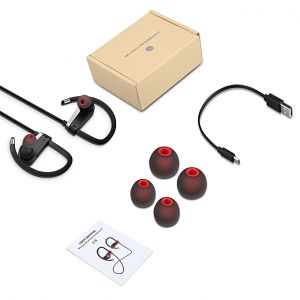
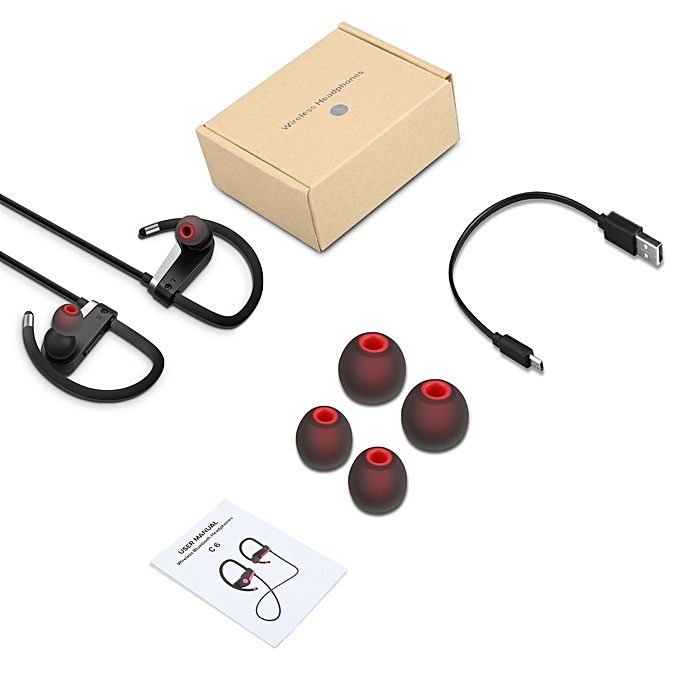
1 x Excelvan C6 Wireless Bluetooth Sports Headset
4 x Earbuds
1 x English Manual
1 x Micro USB Cable with 30cm
FAQ for Excelvan - C6 Wireless Bluetooth Sports Earbuds with Mic
Why my headphones won’t charge
Please make sure both ends of the USB cable are securely connected. If you use a power outlet, ensure that the power supply is connected securely and the outlet works.
If you use a computer, make sure it is connected and the USB port is powered. Turn on the headset and then turn them off. Disconnect and reconnect the USB charging cable.
Why do my headphone disconnect with mobile phone within 10 meter
Please check if there is metal or any other material within relatively close range that may interfere with Bluetooth connection. Bluetooth is a radio technology that is sensitive
to objects positioned between the headphone and the connected device.
Why is there no audio signal
Check if the head phones are turned off. Check if the headphone are paired. If necessary, pair the headphones with the audio source again. Check the connection of your
audio source. If the volume is too low, turn up the volume.
Why can’t I use my headphones to adjust the volume or select the track on the APP of my mobile phone
App Software settings may vary according to some functions of the App itself not depending on the phone.
Why my headphones cannot pair with my mobile phone
1. Please check whether your headphone is in pairing mode or reconnect mode and check whether your mobile phone Bluetooth search function is opened; 2. Check your
mobile device’s Bluetooth menu and delete/forget the headphones, then reconnect the headphones following the instructions on user manual.
| Shipping Cost |
|
| Shop Location |
No reviews found!




No comments found for this product. Be the first to comment!